

محتوای اضافی (DLC)
Cyberdimension Neptunia: 4 Goddesses Online - White Heart Angel Ring
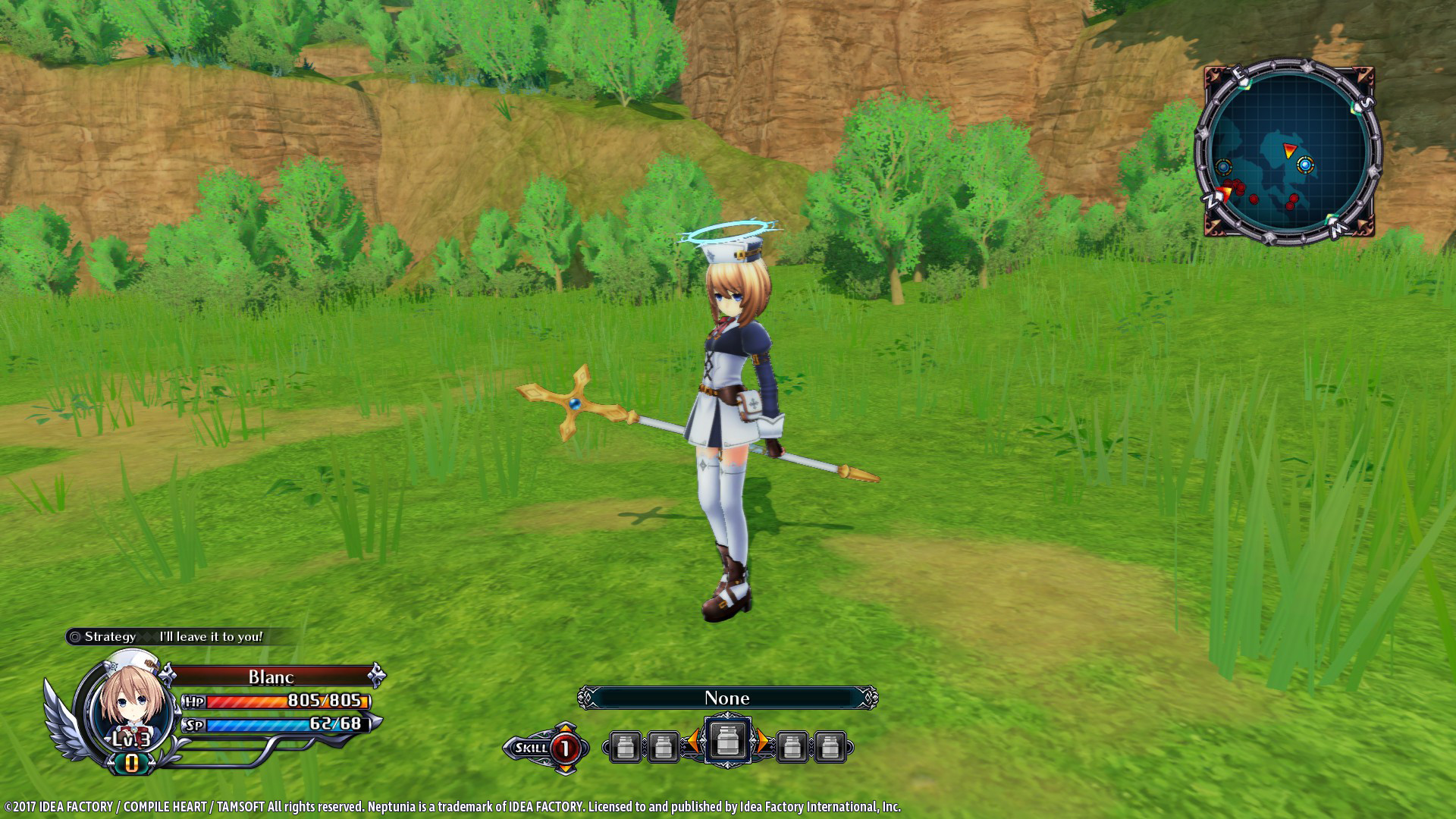
White Heart Angel Ring will be added to your item inventory.
An accessory White Heart Angel Ring will be added to your item inventory.
This is an accessory that looks like an angel ring.
*After installation of the DLC access the "DLC" option on the title screen to turn the purchased DLC to "ON".
How to access DLC.
1. Start "Cyberdimension Neptunia: 4 Goddesses Online"
2. In "DLC" enable "ON" for the new DLCs
3. Load a save file
4. Enter the World Map
5. Enter a dungeon
6. Open the Menu
7. Select "Customize"
8. Under Accessories, select a slot
9. Scroll down to the bottom for the 9 new DLCs
10. Select White Heart Angel Ring
This is an accessory that looks like an angel ring.
*After installation of the DLC access the "DLC" option on the title screen to turn the purchased DLC to "ON".
How to access DLC.
1. Start "Cyberdimension Neptunia: 4 Goddesses Online"
2. In "DLC" enable "ON" for the new DLCs
3. Load a save file
4. Enter the World Map
5. Enter a dungeon
6. Open the Menu
7. Select "Customize"
8. Under Accessories, select a slot
9. Scroll down to the bottom for the 9 new DLCs
10. Select White Heart Angel Ring
نیازمندیهای سیستم
حداقل
Minimum:
- OS *: Windows 7 (64-bit)
- Processor: Intel Corei7-3770
- Memory: 8 GB RAM
- Graphics: NVIDIA GeForce GTX 660 or comparable
- DirectX: Version 11
- Storage: 10 GB available space
- Sound Card: Windows compatible sound card
- Additional Notes: Caution: ATI Mobility Radeon HD 5xxx, 1GB VRAM 5000 series, AMD processor may not work properly with this game.
پیشنهادی
Recommended:
- OS: Windows 10 (64-bit)
- Processor: Intel Corei7-3770
- Memory: 10 GB RAM
- Graphics: NVIDIA GeForce GTX 960 or comparable
- DirectX: Version 11
- Storage: 10 GB available space
- Sound Card: Windows compatible sound card
- Additional Notes: Caution: ATI Mobility Radeon HD 5xxx, 1GB VRAM 5000 series, AMD processor may not work properly with this game.