

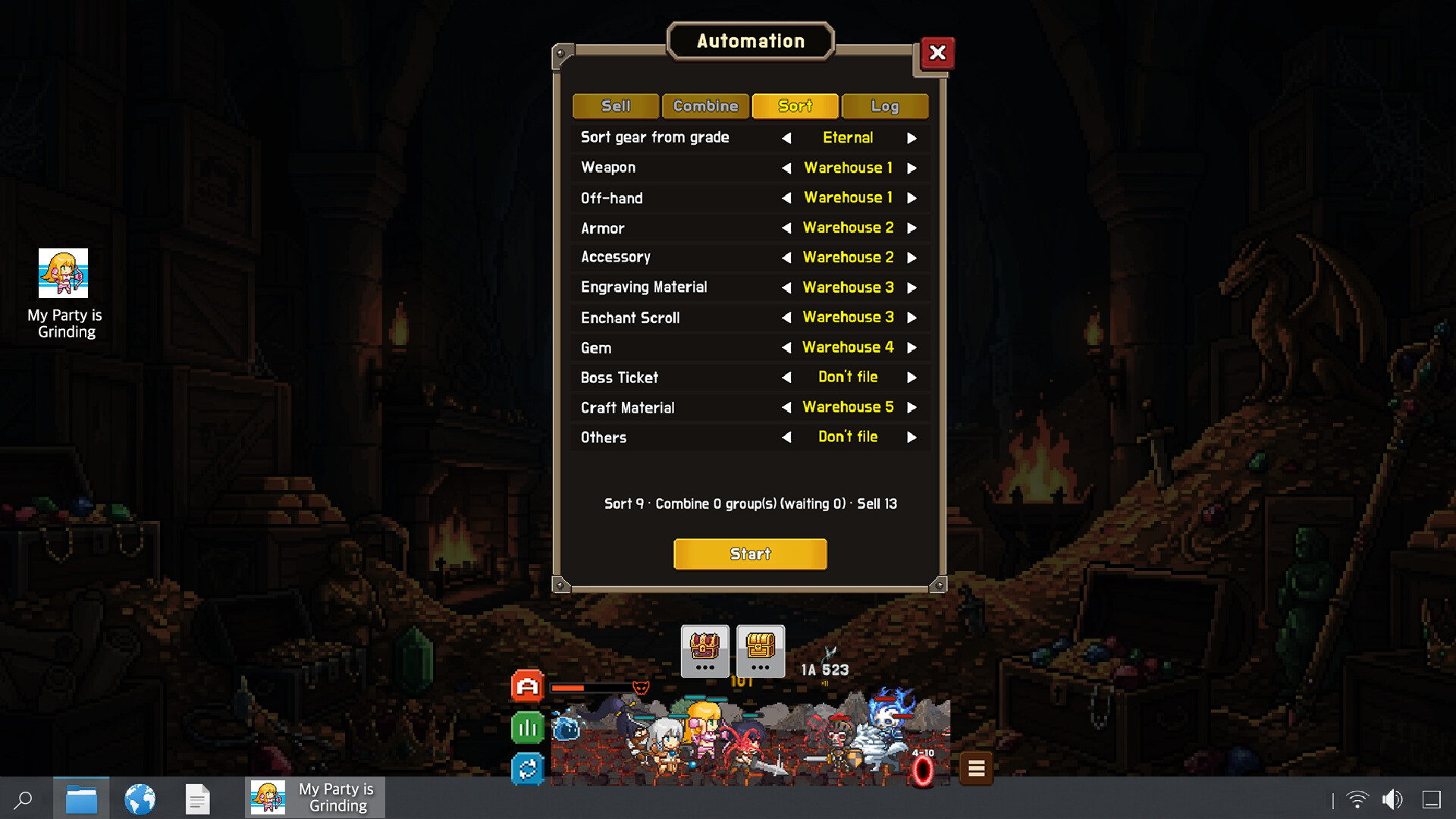
Configure auto-stash, auto-combine, and auto-sell. Locked, equipped, and enhanced gear is always excluded.
Automate Loot Management
Process items in stash → combine → sell order using rules you configure. The preview shows what will be processed before you start, and the activity log records the results.Features
- Auto-stash — moves selected gear and material categories to designated stash pages; set a minimum grade for gear
- Auto-combine — combines eligible gear in your bag at or above the grade you choose
- Auto-sell — sells eligible gear in your bag at or below the grade you choose
- Preview processing counts before starting and review completed actions in the activity log
Equipment protection
Locked, equipped, and enhanced gear is always excluded from every automation action. Enhanced gear means gear with any engraving, enchantment, or gem applied.How to use
- Applies immediately after purchase — no restart needed
- Press the Automation button, the top of the three icons on the left of the battle screen, set your rules, then press Start
If you refund
Automation is disabled and its saved rules are reset. Your current items and currencies are not removed.نیازمندیهای سیستم
حداقل
Minimum:
- Requires a 64-bit processor and operating system
پیشنهادی
Recommended:
- Requires a 64-bit processor and operating system